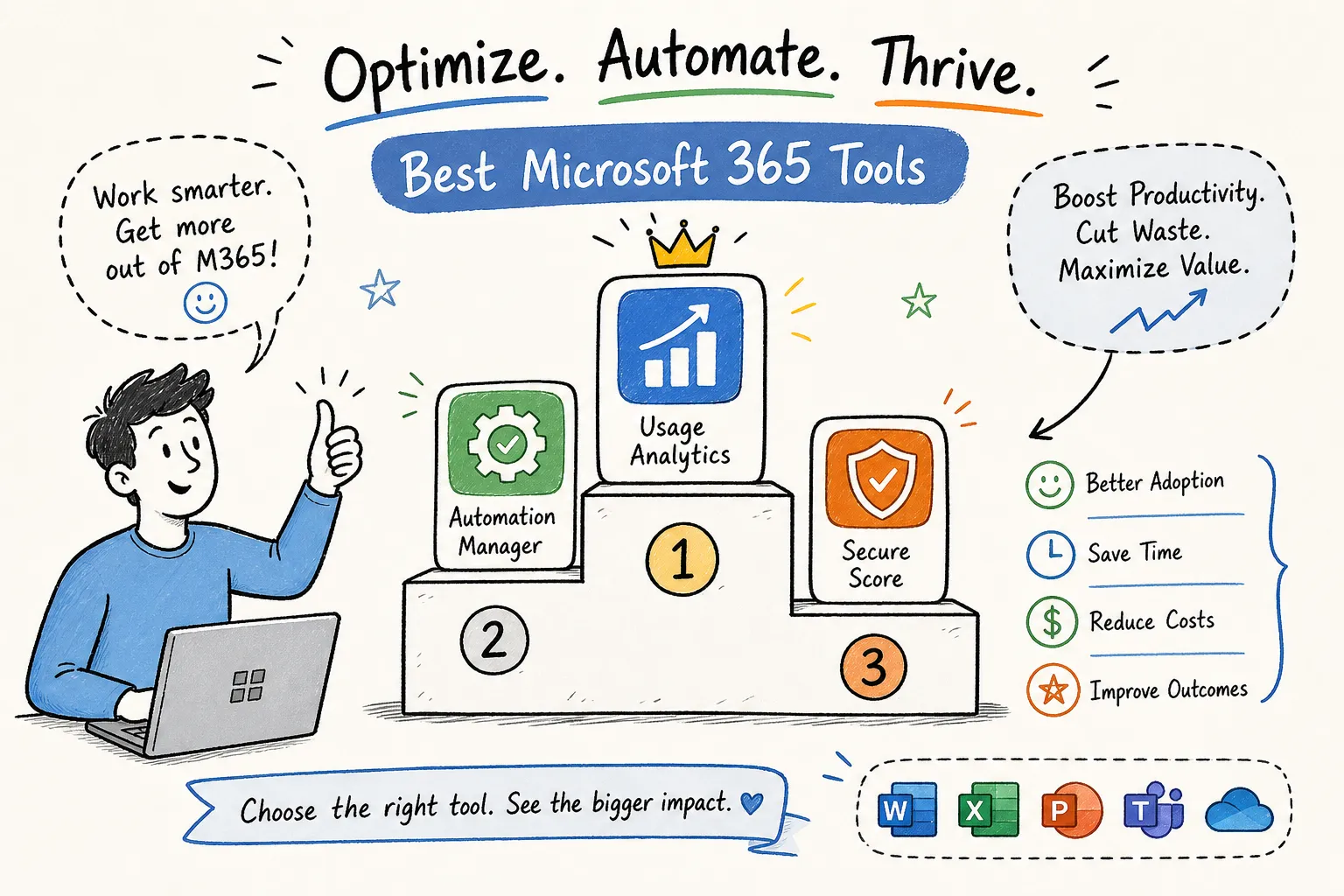
Industry research in 2026 estimates that roughly 44, 56% of Microsoft 365 licenses are underused or wasted across enterprise deployments, yet most organizations have no reliable way to see it. Inactive accounts, overprovisioned licenses, overlapping SKUs, idle Copilot seats, and SharePoint storage that never stops growing all contribute to a bill that keeps climbing while value stays flat. Microsoft 365 optimization tools can expose this hidden waste, but not all of them dig deep enough to matter. Many platforms on the market show only who signed in, not what features anyone actually used. That gap separates the tools that genuinely deliver savings from the ones that produce impressive dashboards and change nothing.
This article evaluates the leading Microsoft 365 optimization tools available in 2026, scoring each against four practical criteria. One platform, Chronom AI, has set a new baseline for what optimization should actually deliver: a 48-hour read-only tenant scan, per-user and per-SKU savings figures, and SOC 2 compliance out of the box. The rest of the field is measured against that bar.
The four criteria that matter when evaluating any Microsoft 365 optimization tool
Most buyer guides compare features in isolation. That approach fails when you need to justify a license decision to a CFO or walk into an Enterprise Agreement renewal with hard numbers. Before reviewing individual tools, establish a consistent scoring framework so every platform gets judged the same way.
Scan depth: sign-in data vs. feature-level usage signals
Sign-in data tells you someone opened Outlook. Feature-level usage signals tell you whether they used Teams calling, shared files in SharePoint, or touched a single Copilot prompt. Scan depth is the single most important criterion because it determines how accurate your rightsizing recommendations will be. A tool that reads only sign-in logs will consistently understate waste, research on native tool limitations confirms the gap between sign-in-based estimates and granular per-feature telemetry can be substantial, and every recommendation it produces will be less defensible as a result.
Ease of deployment and time to first insight
A tool that takes eight weeks to implement and three months to surface actionable data creates its own cost before you recover a dollar. Deployment should be measured in hours, not quarters. Look for read-only API connections that require no agents, no code changes, and no alterations to tenant configuration.
Reporting quality: formatted for the boardroom vs. IT-only output
The best reports are dollar-denominated, per-user, and ready for a CFO or vendor negotiation without translation. Reports that require an IT analyst to interpret raw data and build a business case add friction and delay the moment savings actually hit the budget.
Cost savings delivered: estimated vs. realized
Some tools stop at recommendations and hand you a spreadsheet. Others execute approved changes or provide a managed service that converts findings into actual budget recovery. Know which category a tool falls into before you sign anything.
Microsoft 365 optimization tools for license and cost recovery: where the real ROI lives
This is the category where most organizations see the fastest measurable return. The platforms here go deeper than governance or reporting: they name users, identify SKUs, and state annualized dollar amounts that can be recovered. This is also where the gap between sign-in-level tools and feature-level Microsoft 365 cost optimization tools is most financially significant.
Chronom AI: the 48-hour benchmark
Chronom AI connects to your Microsoft 365 tenant through a read-only Microsoft Graph API link and, according to the vendor, delivers a per-user, per-SKU savings report within 48 hours. Per Chronom’s published product documentation, the platform reads granular usage telemetry across more than 40 waste patterns covering M365 licensing, Azure consumption, Copilot seats, and SharePoint storage. The output is annualized, dollar-denominated, and formatted for board review or EA negotiation. Chronom reports SOC 2 compliance and a zero-change-until-approved architecture, meaning IT and security teams don’t need to worry about tenant integrity at any point in the process, verify current certification status directly with the vendor.
An optional managed cleanup service converts findings into realized savings without requiring internal IT bandwidth.
For organizations with 200 or more seats, or $50,000 or more in annual Microsoft spend, Chronom AI offers a free initial audit with no credit card and no implementation commitment, confirm current terms on the vendor’s website before starting. No credit card, no implementation project, no wait. That combination of speed, depth, and security posture is what sets the benchmark every other tool in this list is measured against.
CloudNuro and LicenseIQ: AI-assisted M365 license optimization alternatives worth evaluating
CloudNuro Microsoft 365 Custodian offers AI-enabled license optimization with dormant-account detection and governance reporting. It scores well on reporting quality for mid-market teams and provides a capable entry point for organizations that want AI-assisted insights alongside compliance visibility. LicenseIQ targets smaller organizations with a lighter implementation footprint and spend-recovery recommendations built for teams without a dedicated IT governance function.
Both tools provide useful optimization signals. Based on publicly available product information, neither appears to offer the same depth of per-feature workload-level consumption data or a comparable time-to-insight window as a dedicated feature-level audit platform. Neither publishes a free audit option for new customers, and pricing requires a direct conversation with their sales teams, which adds time to the evaluation process. Verify current capabilities with each vendor before making a final comparison.
CoreView’s license management module
CoreView is primarily an enterprise admin automation and governance platform, and its license reclamation capability operates at the account and subscription level rather than deep per-feature telemetry. For organizations already invested in CoreView for tenant governance, the license module adds incremental value without requiring a separate platform. For teams whose primary pain point is cost optimization rather than admin automation, it is not the sharpest tool available. CoreView’s self-reported research, which should be read with that vendor context in mind, estimates that better managing inactive licenses can reduce total M365 costs by 14%; the underlying methodology is worth reviewing directly in CoreView’s published whitepaper. That figure is a useful benchmark, but it leaves the deeper feature-level waste untouched.
Governance, tenant administration, and automation platforms
These platforms solve a different problem: keeping a complex Microsoft 365 environment organized, compliant, and operationally efficient. They are not primarily cost optimization tools, but they earn a place in the evaluation because they surface license-related signals as a byproduct of governance workflows, and many organizations run them alongside a dedicated optimization platform.
AvePoint and BetterCloud: governance with license reclamation as a side benefit
AvePoint Cloud Management is a strong choice for multi-tenant governance, especially for MSPs and enterprise partners managing multiple client tenants. It includes license optimization as part of a broader compliance and automation suite, and it explicitly positions license rightsizing as a scalable managed service for channel partners.
BetterCloud excels at SaaS lifecycle automation: onboarding, offboarding, and license reclamation triggered by HR system events. BetterCloud deployments average around six weeks before customers are working from actionable license utilization data, longer than purpose-built optimization tools, but acceptable if automation breadth is the primary goal.
Both tools are well-suited for organizations that need policy enforcement and workflow automation, with license savings as a secondary outcome. Neither is purpose-built for fast, feature-level cost recovery. If your first priority is recovering budget from the next EA renewal, start with an optimization-specific platform and layer governance tools in afterward.
ManageEngine M365 Manager Plus and Microsoft 365 Lighthouse
ManageEngine M365 Manager Plus is a reliable reporting and administration tool for mid-sized teams that need audit-ready compliance reports alongside standard M365 management. Its reporting capabilities are solid, but it is not designed for automated license reclamation or granular feature usage analysis. Microsoft 365 Lighthouse is Microsoft’s native multi-tenant management tool designed for CSP partners and MSPs. It is free within the CSP program but limited to basic management tasks; it does not offer feature-level usage analysis or savings reporting in any form that would support a vendor negotiation.
Reporting, monitoring, migration, and backup tools
These tools serve specific operational niches. They are not Microsoft 365 optimization tools in the cost-savings sense, but many IT teams use them alongside license optimization platforms to maintain a complete operational picture. Understanding what each one covers prevents you from mistaking operational visibility for financial optimization.
ENow and AdminDroid: visibility into M365 health and activity
ENow focuses on Microsoft 365 monitoring and performance reporting, giving IT teams visibility into service health, user activity trends, and call quality metrics. AdminDroid offers admin-facing reporting across users, groups, licenses, and audit logs. Both tools answer the question “what is happening in the tenant” rather than “what should we cut and by how much.” They are useful as operational companions to a dedicated optimization platform, not as replacements for one.
ShareGate, Veeam, and Datto: migrations, permissions, and backup
ShareGate is a leading tool for SharePoint migrations and permissions governance. It does not specialize in license cost optimization but is commonly used alongside optimization tools during tenant consolidation projects. Veeam Data Cloud for Microsoft 365 and Datto SaaS Protection both address backup and operational resilience, a separate risk category from licensing waste. Datto was identified as the top-trending product in the M365 management category on G2 as of August 2026 (G2’s trending designation reflects momentum in user reviews and profile traffic during that period), driven by growing interest in SaaS data protection rather than license optimization, which reflects how broad the category has become.
Where Microsoft’s built-in tools stop short for M365 optimization
Microsoft includes a set of native tools with every M365 subscription that are worth using. Understanding their ceiling is just as important as knowing their value, because many organizations believe they have sufficient visibility when they don’t.
What Secure Score, the admin center, and Viva Insights actually cover
Microsoft Secure Score measures security posture against Microsoft-aligned controls. It is useful for benchmarking and tracking improvement over time, but it does not measure license waste or identify users assigned SKUs they never use. The Microsoft 365 Admin Center is an administration console: its usage reports are limited to aggregate sign-in and activation data, which tells you who is accessing the tenant but not which features justify which license tiers. Viva Insights measures collaboration patterns and employee experience, valuable for productivity conversations, but it does not inform license rightsizing decisions in any financially actionable way.
The feature-level gap that native tools leave open
None of Microsoft’s native tools read per-feature activity data across every M365 service. They cannot tell you that a user holds an E5 license but has never opened Power BI, never used advanced compliance features, and could be downgraded to an E3 at a fraction of the cost. That granularity is only available through third-party Microsoft 365 optimization tools that connect via Microsoft Graph API and read what actually gets used, not just who signed in. Sign-ins measure access; feature usage measures entitlement. Only the latter supports defensible rightsizing.
Buyer’s checklist: what to verify before you commit to any platform
Use these questions before shortlisting any Microsoft 365 license optimization platform. They are designed to expose the difference between tools that deliver defensible savings and tools that produce impressive-looking reports with no follow-through.
- Does the tool read feature-level usage data or only sign-in and activation logs?
- Does the output name users, identify SKUs, and state annualized dollar amounts, not just percentages?
- Is the report formatted for a non-technical audience, such as a CFO, procurement lead, or board?
- How quickly after connecting to your tenant does the first report arrive?
- Is the connection read-only with no ability to alter tenant data without explicit approval?
- Does the vendor hold a current SOC 2 certification?
- Does the tool offer a managed execution path, or does it hand you a to-do list?
- Is there continuous monitoring between scans, or does waste rebuild undetected between audit cycles?
Any platform you seriously consider should answer every one of these questions clearly and without caveats. If a vendor cannot confirm whether their tool reads feature-level signals or falls back to sign-in data, that answer tells you exactly how precise their savings estimates will be, which is to say, not very.
Making the right call for your organization
The market for Microsoft 365 optimization tools in 2026 is crowded, and most platforms do something useful. The meaningful distinction is between tools that surface granular usage telemetry at the individual user and SKU level versus tools that report on signs of activity and call it optimization. For organizations that need dollar-denominated, audit-ready savings figures fast, the criteria that matter are scan depth, time to first insight, reporting quality, and whether the vendor can actually help execute the changes once the findings are approved.
Chronom AI stands out on all four. A 48-hour read-only scan, per-user savings reporting, SOC 2 compliance, and an optional managed cleanup service take your organization from discovery to realized savings without requiring internal IT bandwidth or a lengthy implementation project. The free audit requires no credit card and no commitment, start there, bring the report to your next EA renewal or budget review, and let the numbers lead the conversation.